

 Cric 360by Cogni Qube
Your bowling action, measured from one phone video.
Record one delivery. Cric 360 finds 22 body points in every frame, marks the key moments and shows what is working and the one thing to fix next.
Android: launching on Google PlayiPhone: in development
- body points tracked in every frame
- 22
- measurements free on the phone, from one side-on video
- 59
- between the phone and our GPU server when placing the key moments, on 52 test clips
- 1–2 frames
A normal phone. A club pitch. Every joint, every frame.
This is a club bowler filmed from the side on an ordinary phone. Cric 360 finds the bowler, tracks every joint and anchors each measurement to the real frame it came from.
Real frames, real speed and true slow motion from the phone. Nothing redrawn.
What it measures, moment by moment
One real delivery, filmed side-on on a phone and measured by Cric 360 at 60 frames a second. Every number here is the engine’s own reading.
-
How you arrive: the rhythm of the run-up and the jump into the action.
- strides in the run-up
- 11
- per stride
- 0.50 s
- jump height
- 0.31 m
-
How you land and load up before the front foot comes down.
- back knee
- 152.9°
- back leg, it gave only 11.3°
- Held
- action type
- Front-on
-
How you brace. A firm front leg turns run-up speed into arm speed.
- front knee, completely braced
- 178.7°
- stridePro
- 1.08 m
- trunk lean
- 35.8°
-
Where the ball leaves the hand, just 0.05 s after the front foot lands.
- release heightPro
- 2.09 m
- trunk forward bend
- 63.6°
- shoulder–hip separation
- 58.3°
-
How fast the arm travelled and how the body finishes the action.
- peak wrist speedPro
- 117 km/h
- trunk fold
- 79.6°
- elbow at release
- 163.6°
Pro marks readings measured on our GPU server. Everything else runs on the phone. Times are counted from the gather.
Inside the app
Plain words first, numbers when you want them. Each session is compared with the player's own earlier sessions, so progress is easy to see.
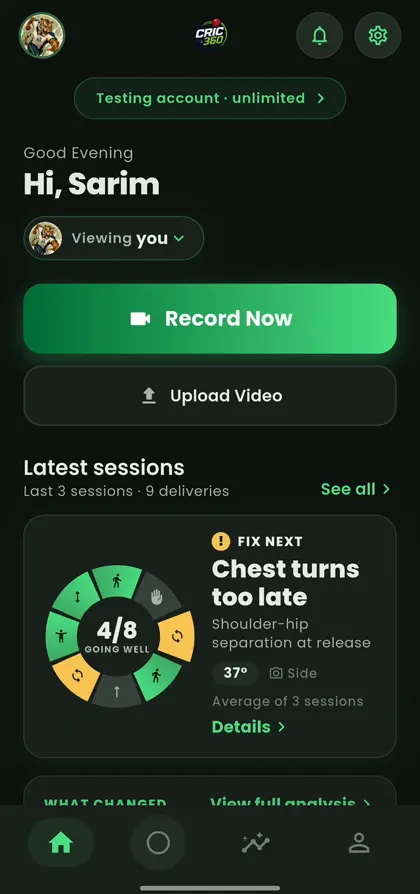
Record or upload
One button to film a delivery, or pick a clip you already have.
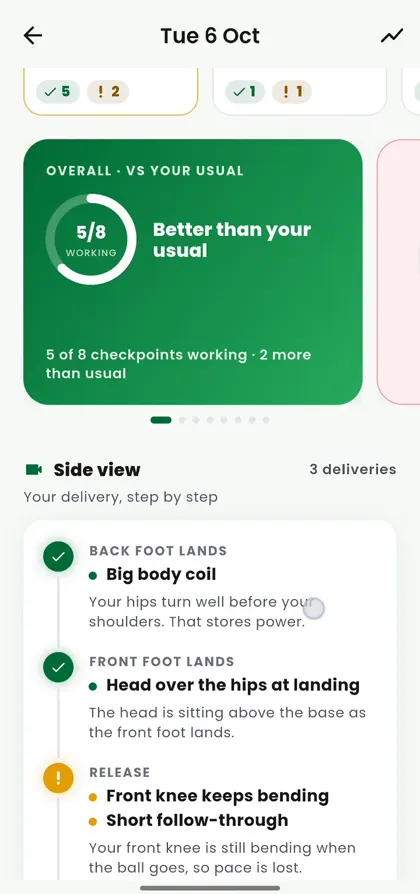
Better than your usual?
Every delivery is checked against your own recent sessions.
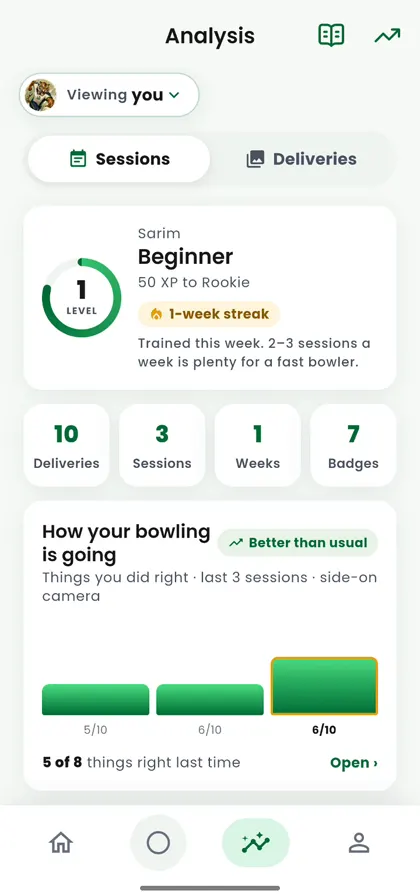
Step by step
Back foot, front foot, release, follow-through, in the order they happen.
One clear fix
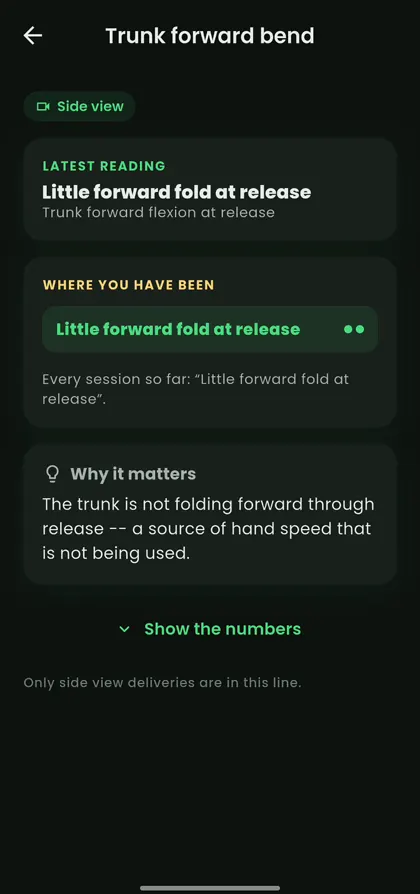
Why it matters, what research says, and what to try next session.
How to record your bowling
Any phone works. Pick one of three angles. Each angle shows a different part of your action.
Tells the story of your stride and your power.
Side view
Where to put the phoneSide-on, square to the crease. Stand far enough back that the last strides and the follow-through both fit. Phone at about hip height.
- Run-up rhythm and stride
- Front leg and back leg angles
- How far the trunk bends forward
- Arm path, release height and speed (Pro)
59 measurements free on the phone+11 more with Pro
- 1
Pick an angle
Side, front or back. Tell the app which one you used, and it measures what that angle can really see.
- 2
Set up the phone
On a tripod or a steady surface, at about hip height. Keep the whole body in the picture, from run-up to follow-through.
- 3
Bowl one ball
Record at normal speed or in slow motion. Cric 360 finds the key moments and builds your report.
Free on the phone. Pro on our GPUs.
The free tier runs the same measuring code as our server engine, on the phone itself. On 52 test clips the two engines placed the key moments within one to two frames of each other.
Free
Runs fully on the phone. Works offline.
- 22-point body tracking
- Run-up, back foot, front foot, release and follow-through found automatically
- 59 side-view measurements
- Session history and comparisons
Pro
Clip analysed on our GPU server.
- Everything in Free
- Ball detection and release point
- Release height, wrist speed and run-up speed
- Stride length in metres
Bat Arc prototype: the swing rebuilt in 3D from broadcast video.
For broadcasters: the body behind the ball
The same engine powers replay graphics between overs. Bat Arc draws the path of the bat with backlift height, follow-through height and swing plane, then turns the shot in 3D. Our broadcast studio takes up to eight camera feeds, cuts frame-exact clips and analyses them in one key.
Broadcast studio: builtBat Arc: prototype
We measure. We do not judge.
Coaches and players should trust every number they see. So we keep a few rules.
- No legality calls and no injury ratingsA reading is a comparison with published research, not a verdict.
- Every number has a momentEach reading is taken at a named point in the delivery: back foot contact, front foot contact or release.
- Missing means missingIf a camera angle cannot see something, it says so and shows why.
- Your own baselineProgress is judged against the player's earlier sessions, not a generic ideal.
Questions
Which phones does Cric 360 work on?
Android phones today. The app is launching on Google Play now. An iPhone version is in development.
Do I need sensors or markers?
No. You need one phone on a tripod or a steady surface. Nothing is worn by the bowler.
Where should I put the phone?
Side-on, front-on or from behind. Side view shows your stride, legs, trunk and arm. Front view shows your balance and body line. Back view shows your approach and how your feet land. Each angle shows only what it can really measure.
Does my video leave my phone?
The free tier runs fully on the phone, so the video stays with you. Pro analysis uploads the clip to our GPU server to measure things like ball and wrist speed.
Will it tell me if my action is legal or if I will get injured?
No. Cric 360 measures and compares against published research ranges. It does not make legality calls or injury predictions. That belongs to a qualified coach, analyst or clinician.
Can an academy use it for a whole squad?
Yes. Coaches can keep players in a squad and compare each session with that player's earlier ones. Contact us for academy access.
Get Cric 360 for your players.
Early access for clubs, academies and coaches. Tell us how many players you work with.